Token Management is where you manage your API keys. You can create, edit, enable/disable, and delete API keys, and set an individual quota limit for each key.
Access URL: https://app.ppapi.ai/console
1. Page Overview
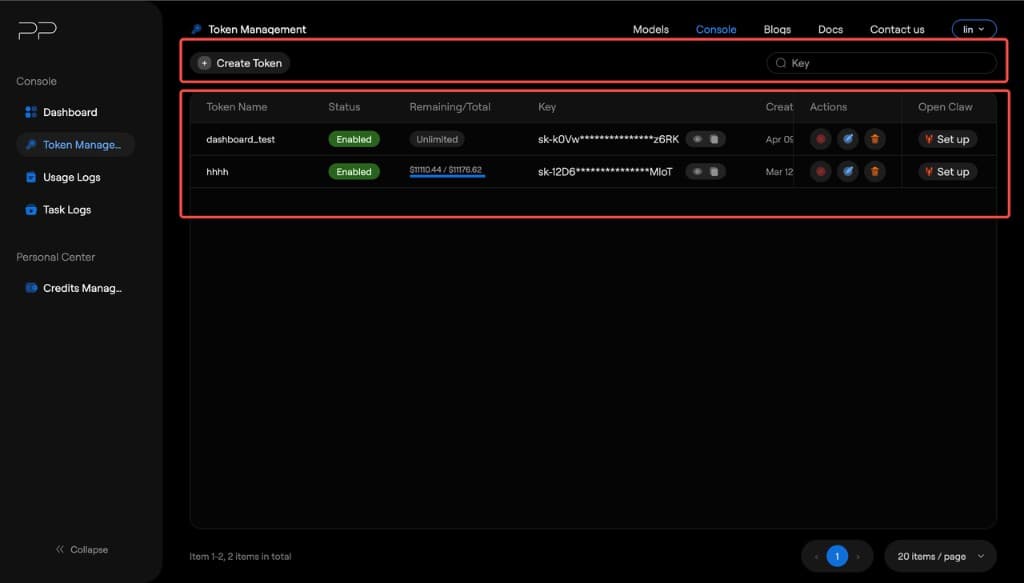
The top area is the operations panel, and the section below shows the token list table.
2. Operations Panel
| Element | Description |
|---|---|
| + Create Token button | Create a new API key |
| Search box (Key) | Search existing tokens by Key |
3. Token List
| Field | Description |
|---|---|
| Token Name | The token name you define at creation time |
| Status | Token status: Enabled (on) or Disabled (off) |
| Remaining/Total | Quota information. Shown as Unlimited (no limit) or $used / $total (e.g. $11110.44 / $11176.62) |
| Key | The API key value, masked by default (sk-****). Click the eye icon to toggle visibility; click the copy icon to copy it |
| Creation Time | Token creation time, format MMM DD, YYYY, HH:mm:ss |
| Actions | Action button group: Disable/Enable, Edit, Delete |
| Open Claw | Entry point for PPClaw configuration. Click Set up to configure PPClaw settings for this key |
4. Core Operations
4.1 Create a Token
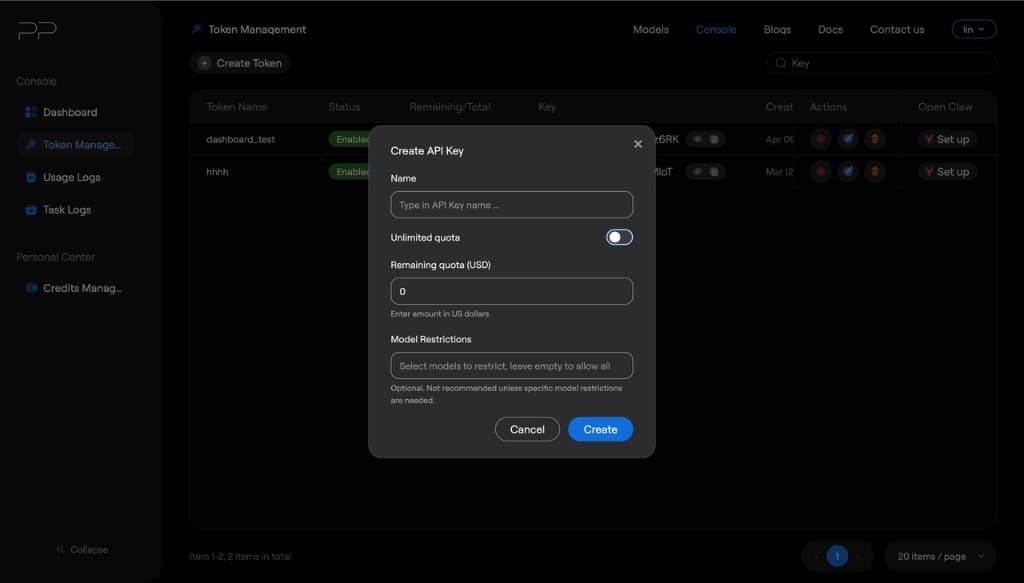
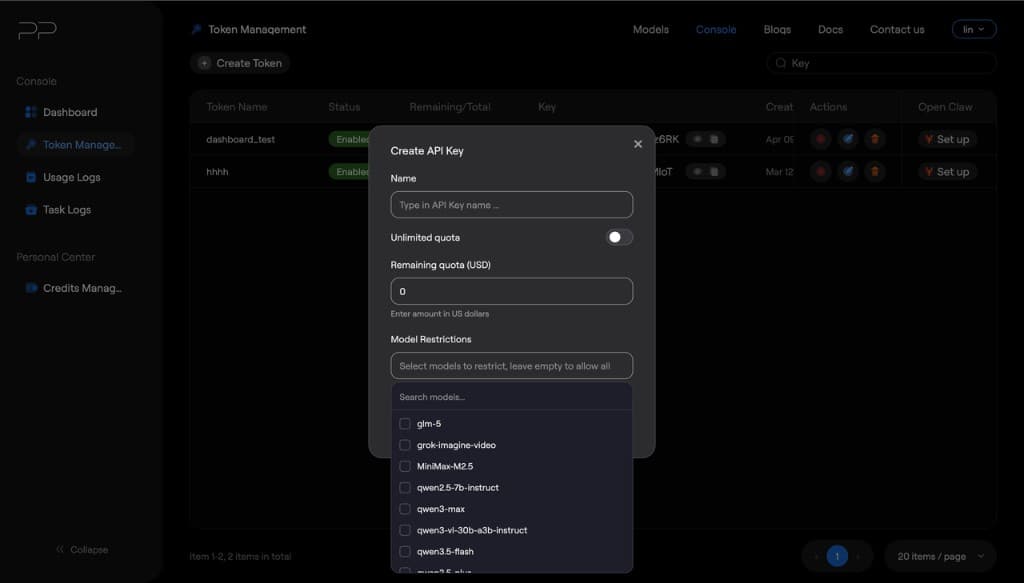
1. Click the + Create Token button. 2. In the dialog, fill in the following information: ◦ Token Name: Give your key a meaningful name (e.g. production-server, dev-test) ◦ Unlimited Quota: Default is unlimited; after turning it off, you can set a quota ◦ Model Restrictions: Model allowlist; only models in the allowlist can be used 3. Click confirm, and the system generates an API key.
4.2 Edit the Token
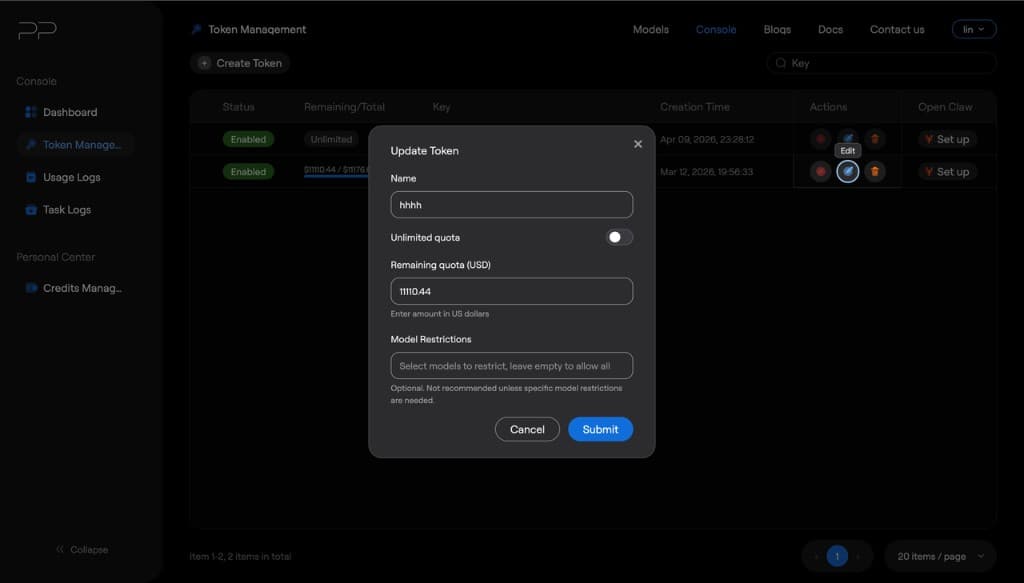
Click the edit icon (pencil) in the Actions column to modify the token name and quota settings. You can change the token name, quota limit, and model allowlist.
4.3 Enable / Disable Tokens
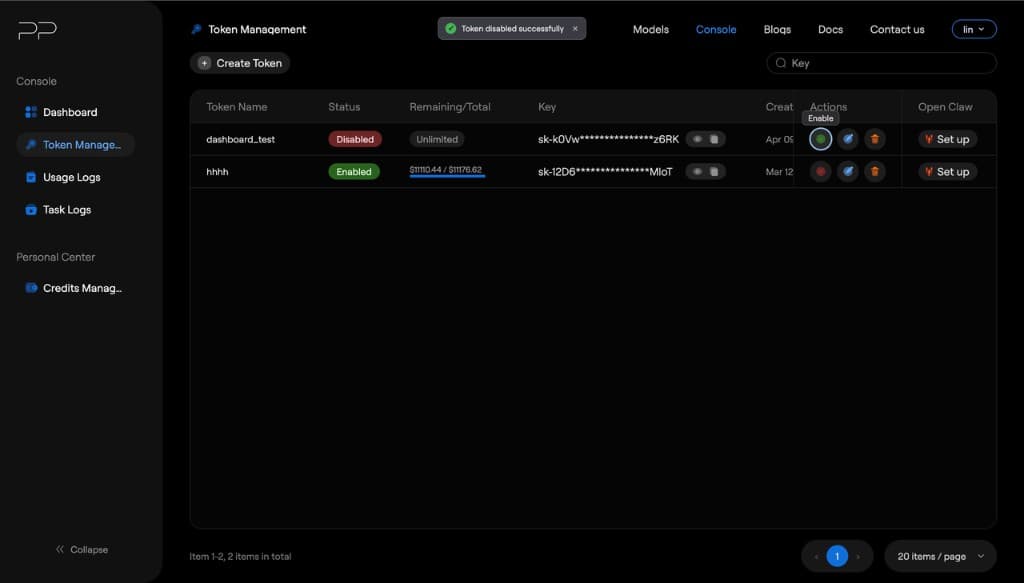
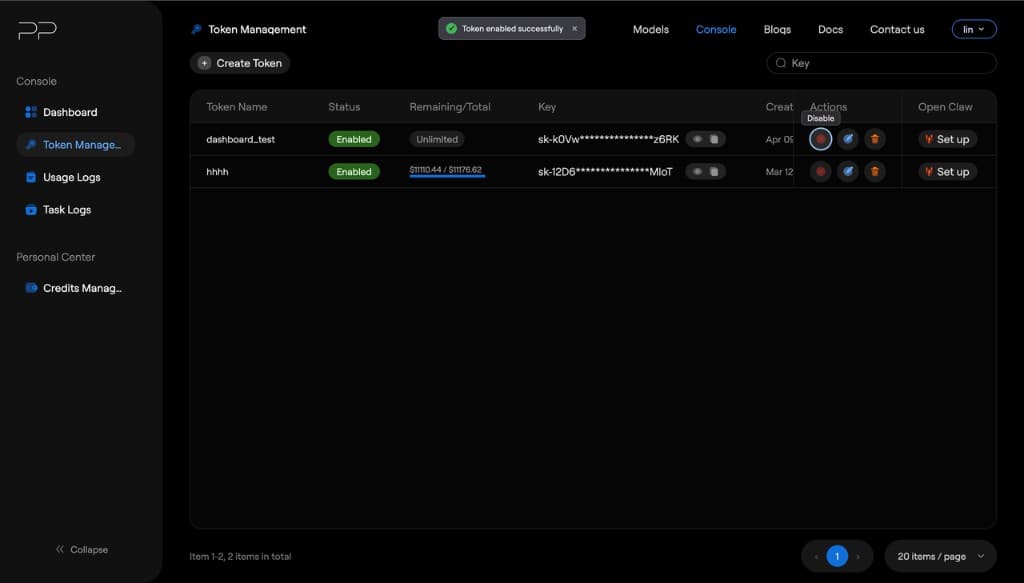
Click the Disable button in the Actions column to pause the usage permission for this key. After disabling, all API requests using this key will return authentication errors. Click Enable again to re-enable it.
4.4 Delete Token
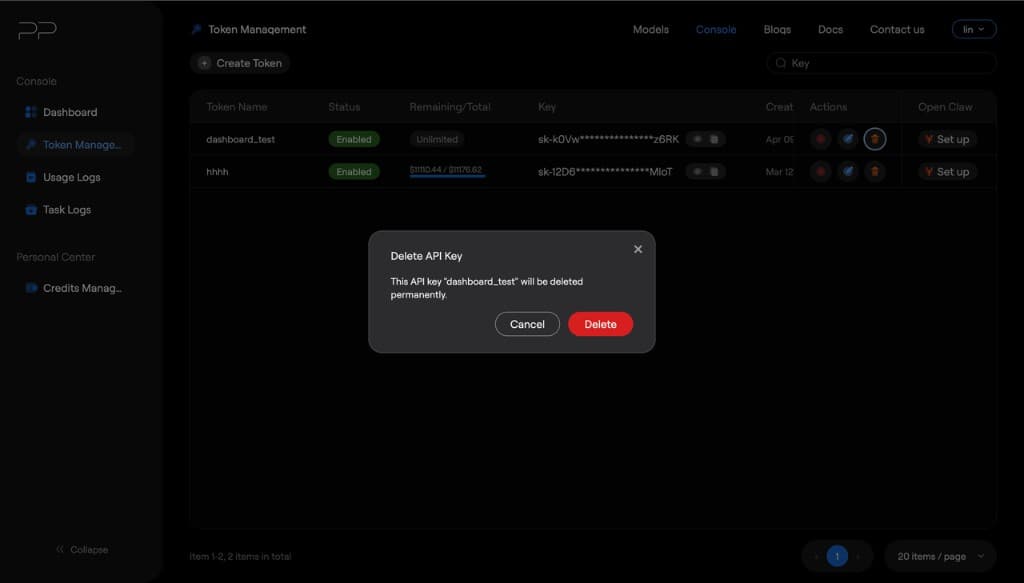
Click the delete icon (trash can) in the Actions column. After confirming, the system permanently deletes the token. This action cannot be undone.
5. Best Practices
• Create different keys for different purposes (e.g. development environment, production environment, specific project) to track usage and manage permissions. • Set reasonable quota limits for keys that are not unlimited to prevent accidental spending. • Disable or delete keys you no longer use to ensure security. • Do not expose your API keys in client code, public repositories, or logs.
6. FAQ
Q: What does "Unlimited" mean in Remaining/Total? A: It means this key has no quota limit, so you can use all balances in the account. Q: How many keys can one account create at most? A: Unlimited